

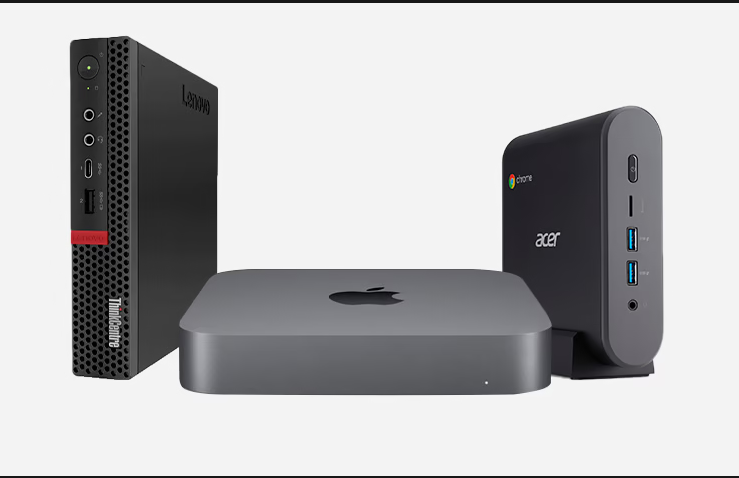
In the ever-evolving world of technology, computers have become an essential part of our lives. With advancements in design and engineering, we now have a variety of computing devices to choose from. Among these, two popular options are regular PCs and mini PCs.
To truly understand the distinctions between these two types of computers, let’s explore the key factors that set them apart:
1. Size and Form Factor
The most apparent difference between a regular PC and a mini PC lies in their size and form factor. Traditional desktop computers typically have larger tower or case sizes, occupying significant space in your workspace. On the other hand, mini PCs are compact and designed to be space-saving, making them ideal for small offices, dorm rooms, or even mounting behind a monitor.
2. Processing Power
When it comes to processing power, regular PCs often take the lead due to their larger form factor, which allows for more robust and powerful components. Regular PCs can accommodate high-end processors and graphics cards, making them ideal for resource-intensive tasks like gaming, video editing, and 3D rendering. Mini PCs, while less powerful, are still suitable for everyday computing tasks such as web browsing, word processing, and media playback.
3. Graphics Performance
Graphics performance is another significant aspect where regular PCs tend to outperform mini PCs. Dedicated graphics cards with high memory capacity are common in regular PCs, enabling smooth gaming and graphics-intensive applications. Conversely, mini PCs typically rely on integrated graphics, which are sufficient for basic tasks but may not meet the demands of advanced gaming or graphics design.
4. Upgradeability
One of the advantages of regular PCs is their upgradeability. With their spacious interiors, users can easily swap out components such as RAM, storage drives, and graphics cards to enhance performance or accommodate changing needs. Mini PCs, due to their compact design, often have limited upgrade options, if any, which means users may need to replace the entire system to keep up with technological advancements.
5. Connectivity Options
Regular PCs usually offer an array of connectivity options, including multiple USB ports, audio jacks, and expansion slots, allowing users to connect various peripherals and accessories simultaneously. In contrast, mini PCs, while still providing essential connectivity, may have fewer ports due to their size limitations.
6. Power Consumption
Mini PCs are renowned for their energy efficiency and low power consumption compared to regular PCs. Their smaller components require less electricity to operate, making them environmentally friendly and cost-effective over time.
7. Noise Level
Regular PCs can generate more noise, especially when running resource-intensive tasks that require cooling for high-performance components. Mini PCs, on the other hand, are designed to be quieter and more suitable for noise-sensitive environments.
8. Mobility and Portability
The compact size of mini PCs makes them highly portable. Users can easily carry them around or set them up in confined spaces. Regular PCs, due to their size and bulkiness, are less portable and typically meant to be stationary.
9. Cost
In general, mini PCs are more budget-friendly than regular PCs. They offer a cost-effective solution for those who need a basic computer setup for everyday tasks without the need for extensive processing power or dedicated graphics capabilities.
10. Applications and Use Cases
Regular PCs are commonly used for high-end applications such as gaming, graphic design, video editing, and scientific simulations. They are preferred by professionals who require top-notch performance and extensive storage options. On the other hand, mini PCs are suitable for business and office use, educational environments, home theaters, and as media centers due to their compactness and energy efficiency.
11. Cooling Systems
With more significant internal space, regular PCs can accommodate sophisticated cooling systems, ensuring optimal temperature management for high-performance components. Mini PCs, while efficient in their cooling design, may not match the cooling capabilities of larger PCs.
12. All-in-One Solutions
An all-in-one PC is a variation of a regular PC that combines the computer and monitor into a single integrated unit. These are particularly suitable for users who prefer a clutter-free workspace and simplified setup. Mini PCs do not typically offer all-in-one solutions, as their primary focus is on compactness and portability.
13. Gaming Performance
Gamers often prefer regular PCs for their superior gaming performance. The ability to install high-end graphics cards and processors provides a smooth gaming experience with high frame rates and stunning visuals. Mini PCs, while they can handle some gaming, are more suited for casual gamers or those who play less demanding titles.
14. Virtual Reality (VR) Compatibility
Virtual reality requires powerful hardware to render and display immersive environments smoothly. Regular PCs are more likely to meet the requirements for VR compatibility, making them the preferred choice for enthusiasts and professionals exploring virtual reality applications.
15. Customization Options
Regular PCs offer extensive customization options, allowing users to build a computer tailored to their specific needs and preferences. From choosing individual components to customizing the case aesthetics, the possibilities are vast. Mini PCs, while offering some customization, may have limitations due to their compact design.
Conclusion
In conclusion, both regular PCs and mini PCs have their own set of advantages and use cases. The choice between them depends on your specific needs, preferences, and budget constraints.